Codes
[🎃] Clean the Moon! codes, how to redeem, and expired lists.
View all CodesThe Moon is a mess. Sweep it, sell it, and build a base that keeps cleaning.
[🎃] Clean the Moon! is a Roblox simulation by Lunarlit Works. You sweep moon dust, space junk, and meteor debris, sell the haul for cash, and upgrade a broom, backpack, and moon boots. Cleaning robots and an expandable lunar base come next, along with new craters and zones. Progress on your moon saves, and friends can clean with you on servers listed for 20 players.
[🎃] Clean the Moon! is a Roblox simulation by Lunarlit Works. You sweep moon dust, space junk, and meteor debris, sell the haul for cash, and upgrade a broom, backpack, and moon boots. Cleaning robots and an expandable lunar base come next, along with new craters and zones. Progress on your moon saves, and friends…
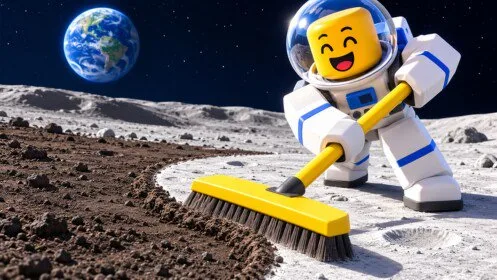
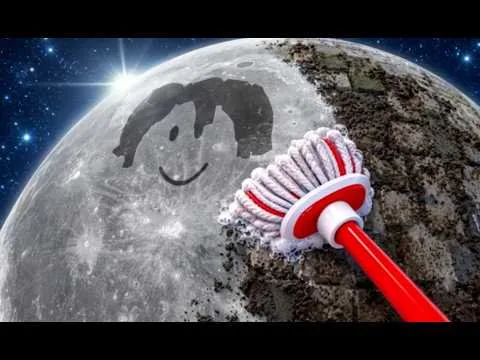
A public playthrough shows the first loop in more detail than the store text. Sweep with the equipped tool, watch the backpack counter, and walk onto the sell pad when the tank is full. Yellow arrows lead to a building marked SELL. Upgrades open with TAB and split into GENERAL, TOOL, and BAG. Spend on the delay you feel: capacity when the tank fills, stroke width or power when cleaning is slow. Robot and drone bays are later boards with their own prices.
[🎃] Clean the Moon! codes, how to redeem, and expired lists.
View all Codes[🎃] Clean the Moon! walkthroughs and task pages.
View all Guides[🎃] Clean the Moon! walkthroughs, progression, and practical video tutorials.
View all Video Tutorials[🎃] Clean the Moon! roster hub.
View all Players[🎃] Clean the Moon! patch notes and listing-checked changes.
View all UpdatesWhat community tools claim to automate in [🎃] Clean the Moon!, and why this wiki will not host them.
View all ScriptsEditorial tables, not live apps.
View all Tools[🎃] Clean the Moon! database hubs.
View all WikiOfficial game page, group, and this wiki map.
View all LinksSell pad, tank warning, and the first upgrade tabs.
Snapshot prices for backpack, shovel stats, and Turbo Vac.
Crew bays, Scrap Grabber, and the separate drone buy button.
First Sale, First Upgrade, and Dust Buster.
The dated decor event and the raids seen in footage.
What the building panel shows, and what it does not explain.
Sweep, sell, and read the upgrade tabs before you buy a helper. Open page
Capacity, stroke stats, and later vacuums use different boards. Open page
A bay upgrade and a drone purchase are different prices. Open page
The official page does not list a working string. Open page
Steam Moon Sweepers and another Roblox place use similar names. Open page
If the tank-full warning sends you back after a short sweep, look at the Backpack upgrade on the BAG tab. If strokes feel slow after you can carry more, look at Sweep Width and Power on the tool you have equipped. Moon boots are an official upgrade line, but a speed number and price were not documented.
No. Moon Sweepers is a Windows Steam game from DragDrop Games. A different Roblox experience also uses a similar name and starts players with a toothbrush, gems, and dust shipments. This wiki is only the Lunarlit Works experience linked from the official Roblox page.
It is a Roblox simulation by Lunarlit Works. You sweep moon dust, space junk, and meteor debris, sell what you collect for cash, upgrade your gear, unlock cleaning robots, and expand a lunar base. Progress on your moon saves, and friends can clean with you.
Clean the surface, watch the backpack counter, and sell when the tank is full. A public playthrough shows a sell pad, a building marked SELL, and yellow arrows. One early prompt read GET $0.50. That figure is one sale prompt, not a price for every piece of debris.
The official game page does not list promo codes, rewards, or a redemption menu. This site does not publish unconfirmed code strings. Group rewards mentioned by Lunarlit Works are not the same as a code.
Play from the official Roblox page, then follow the beginner checklist through the first sale.