How do you read the [🎃] Clean the Moon! roster picker?
Walk the tree in order. Do not skip to a late unlock because the shop model looked rare.
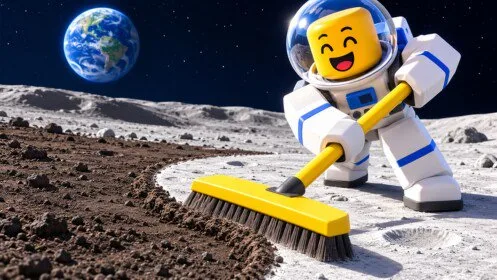
- Broom — The cleaning tool named in the official introduction.
- Hand Brush — The early tool name visible in the tool slot during a public playthrough.
- Lunar Shovel — A tool whose panel shows strike speed, sweep width, and power.
- Turbo Vac — A later vacuum described as collecting a large amount of dust quickly.
- Cleaning Rover — A ride-on cleaner with speed, brush size, power, and a battery upgrade notice.
- Backpack — Carry capacity. The official page names it, and the BAG tab sells an upgrade.
- Moon Boots — Movement gear named in the official upgrade list.
- Ray Gun — A UFO raid pickup. Its combat stats are not documented.
- Crew Robot Bay — A board that offers another robot for the whole crew.
- Crew Drone Bay — A board for drones that fly to nearby dust, collect it, and sell at the base.
- Buy a Drone — A separate drone purchase sitting beside the bay upgrade.
- Scrap Grabber — A helper announced by the message Scrap Grabber is on the job.
- Cleaning Drone — A tool-area slot labeled Cleaning Drone.
- Conveyor upgrades — Conveyor Speed and Conveyor Time on the BAG tab.
- Sell Pad — The documented place to turn a full tank into cash.
- South Conveyor — A map label visible during a Goblin raid.
- Lunar Blocks — A building panel that tracks placed blocks and stage counters.
- First Sale — A freebie badge on the official page. The exact award trigger is not written out.
- First Upgrade — A freebie badge. Which purchase counts is not specified.
- Dust Buster — An Easy badge at 63.9 percent displayed rarity. The cleaning target is not published.
- Cash — Earned by selling collected debris, then spent on the upgrade boards.
- Recycle gem labels — GEMS PER RECYCLE and RECYCLE BANK are visible on bay boards. Amounts are not.
What is on the published [🎃] Clean the Moon! roster table?
| Entry | Hub | Notes |
|---|---|---|
| Broom | Equipment | The cleaning tool named in the official introduction. |
| Hand Brush | Equipment | The early tool name visible in the tool slot during a public playthrough. |
| Lunar Shovel | Equipment | A tool whose panel shows strike speed, sweep width, and power. |
| Turbo Vac | Equipment | A later vacuum described as collecting a large amount of dust quickly. |
| Cleaning Rover | Equipment | A ride-on cleaner with speed, brush size, power, and a battery upgrade notice. |
| Backpack | Equipment | Carry capacity. The official page names it, and the BAG tab sells an upgrade. |
| Moon Boots | Equipment | Movement gear named in the official upgrade list. |
| Ray Gun | Equipment | A UFO raid pickup. Its combat stats are not documented. |
| Crew Robot Bay | Machines | A board that offers another robot for the whole crew. |
| Crew Drone Bay | Machines | A board for drones that fly to nearby dust, collect it, and sell at the base. |
| Buy a Drone | Machines | A separate drone purchase sitting beside the bay upgrade. |
| Scrap Grabber | Machines | A helper announced by the message Scrap Grabber is on the job. |
| Cleaning Drone | Machines | A tool-area slot labeled Cleaning Drone. |
| Conveyor upgrades | Machines | Conveyor Speed and Conveyor Time on the BAG tab. |
| Sell Pad | Map & Routes | The documented place to turn a full tank into cash. |
| South Conveyor | Map & Routes | A map label visible during a Goblin raid. |
| Lunar Blocks | Map & Routes | A building panel that tracks placed blocks and stage counters. |
| First Sale | Badges | A freebie badge on the official page. The exact award trigger is not written out. |
| First Upgrade | Badges | A freebie badge. Which purchase counts is not specified. |
| Dust Buster | Badges | An Easy badge at 63.9 percent displayed rarity. The cleaning target is not published. |
| Cash | Money | Earned by selling collected debris, then spent on the upgrade boards. |
| Recycle gem labels | Money | GEMS PER RECYCLE and RECYCLE BANK are visible on bay boards. Amounts are not. |
What will this [🎃] Clean the Moon! picker not do?
It will not spend currency, roll a shop, or read your inventory. Confirm prices and unlocks in the live [🎃] Clean the Moon! experience.